
Concrete Contractor Estimator Pack – Estimate Concrete Jobs, Costs & Profit Faster
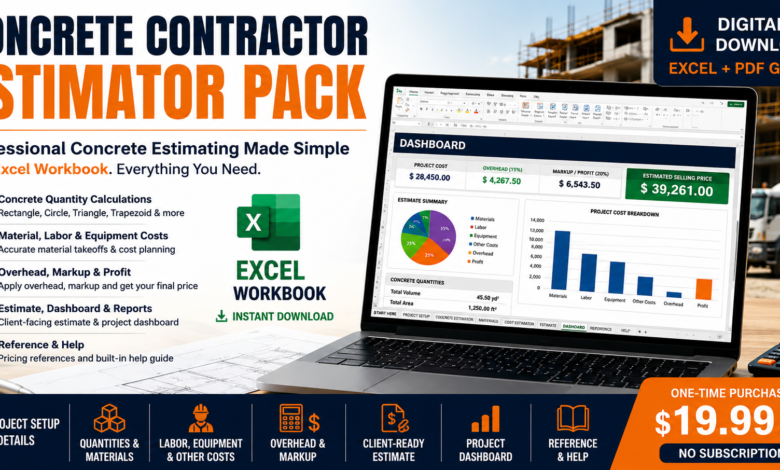
Quote the job. Track the costs. Know the final profit.
One reusable Excel workbook for concrete quantities, supplier pricing, client estimates, approved change orders and job costing. Spend your time checking the job—not rebuilding your spreadsheet.
11 connected worksheets · 5 PDF guides · No macros · No subscription
Workflow illustration; the video below demonstrates the workbook interface.
A quote is only the beginning of the job.
A single concrete calculation tells you the quantity. But preparing a client quote—and seeing how the job performs afterward—takes more than one number.
Build the estimate
Calculate quantities, select concrete supply, update supplier prices, then combine materials, labor, equipment and other costs.
Send a cleaner quote
Review your selling price, project scope, relevant tax and deposit inputs, and export the client-facing ESTIMATE sheet.
Follow the job through
Capture the accepted budget, log approved change orders and enter actual costs. Review final profit when the job is marked Complete.
Watch the V4 Estimator Pack in Action
Take a guided tour of all 11 Excel worksheets. See how to calculate concrete quantities, customize material prices, prepare client estimates, manage approved change orders, and track actual job costs and final profit.
Watch our V4 product walkthrough to explore the estimating workflow, client quotes, Change Orders, Job Costing, and Dashboard before purchasing.
Get the V4 Workbook + 5 PDF Guides — $19.99 →More than a reusable quote template.
Pick how you buy
Choose Ready-Mix or Bagged Concrete. The selected purchasing method flows into the estimate rather than remaining only a comparison.
Use local assumptions
Set local prices, supplier order increments, delivery-basis assumptions and short-load inputs. Verify actual supplier terms before quoting.
Manage change orders
Record proposed changes and their estimated costs. Only Approved changes affect the revised budget and client price.
Review actual profit
Track costs against a manually captured accepted budget. Final profit and margin display only after the job is marked Complete.
From the first measurement to a finished job.
Measure and price
Start a copy for the job, enter project details, choose a supported shape, calculate concrete quantity and use your local cost inputs.
Check the client estimate
Review costs, markup, scope and totals. The ESTIMATE sheet supports optional tax and deposit entries and a Balance Due display.
Capture the baseline
Use Copy and Paste Special → Values to freeze the original accepted budget. This is a deliberate manual step; no macros or automatic historical snapshot.
Record changes and actuals
Log change orders with an approval status and enter actual costs. While In Progress, review cost to date and variance without premature final-profit figures.
See the result
When the budget is captured, actual costs are entered and Job Status is Complete, review the job’s actual profit and margin.
Start clean again
Keep the original customer master untouched. Use Save As to create a separate copy for every estimate or accepted project.
What’s inside the 11-sheet workbook?
A focused Excel workflow, not accounting software or an engineering design application.
One workbook. Five guides. One straightforward price.
Everything is delivered digitally, so you can keep the files and use your own job-specific copies under the product license.
11-sheet Excel workbook
- Macro-free .xlsx format
- Quantities and concrete purchasing
- Editable local cost assumptions
- Print-ready client estimate
- Approved changes and job costing
- Reusable for your own projects
Five supporting PDF guides
One-time purchase · Downloadable files · No recurring fee
Who is the V4 pack for?
For repeat estimators and small concrete teams
- Contractors preparing multiple quotes or bids
- Estimators who want linked quantities, costs and client output
- Small businesses tracking accepted budgets and changes
- Buyers willing to enter their own local pricing and actual costs
When a simpler tool is enough
If you only need a one-time concrete quantity, use a free calculator. If you need certified structural design, invoicing, accounting or automatic multiuser collaboration, those are outside this workbook’s intended scope.
The pack does not replace measurements, supplier quotes, local-code checks or professional judgment.
No surprises about the download or license.
Download after checkout
Checkout is processed through Lemon Squeezy. The downloadable product files are made available after your order.
Reuse within your business
Use the workbook across your own projects and let employees of the same purchasing business use it internally. Completed estimates may be sent to clients.
Know what you’re buying
A macro-free Excel estimating system. A current desktop version of Microsoft Excel is recommended; compatibility with other spreadsheet apps is not guaranteed.
The original workbook and its guides may not be redistributed or resold. Read the License & Usage, Refund Policy, or contact us before purchasing.
Frequently asked questions.
What is included in the Concrete Contractor Estimator Pack V4?
Is the $19.99 price a subscription?
Can I use the workbook for commercial estimates and client bids?
Can employees in my business use it?
Can I edit prices and reuse the workbook?
Does Job Costing automatically save the original accepted budget?
When does actual profit appear?
What software do I need?
Can I share or resell the workbook?
What is the refund policy?
Ready to put your next concrete estimate—and the job that follows—into one workbook?
Get the 11-sheet V4 Excel Estimator Pack and five supporting PDF guides for $19.99 once. You bring the measurements and local prices; the workbook keeps your estimating and job-costing process organized.
Get the Estimator Pack — $19.99 →Digital delivery through Lemon Squeezy · No subscription · Review refund terms